Watch the hall fill up
See how full each block is as people come through the gates, on a laptop or a big screen.
Checked against Durbar on
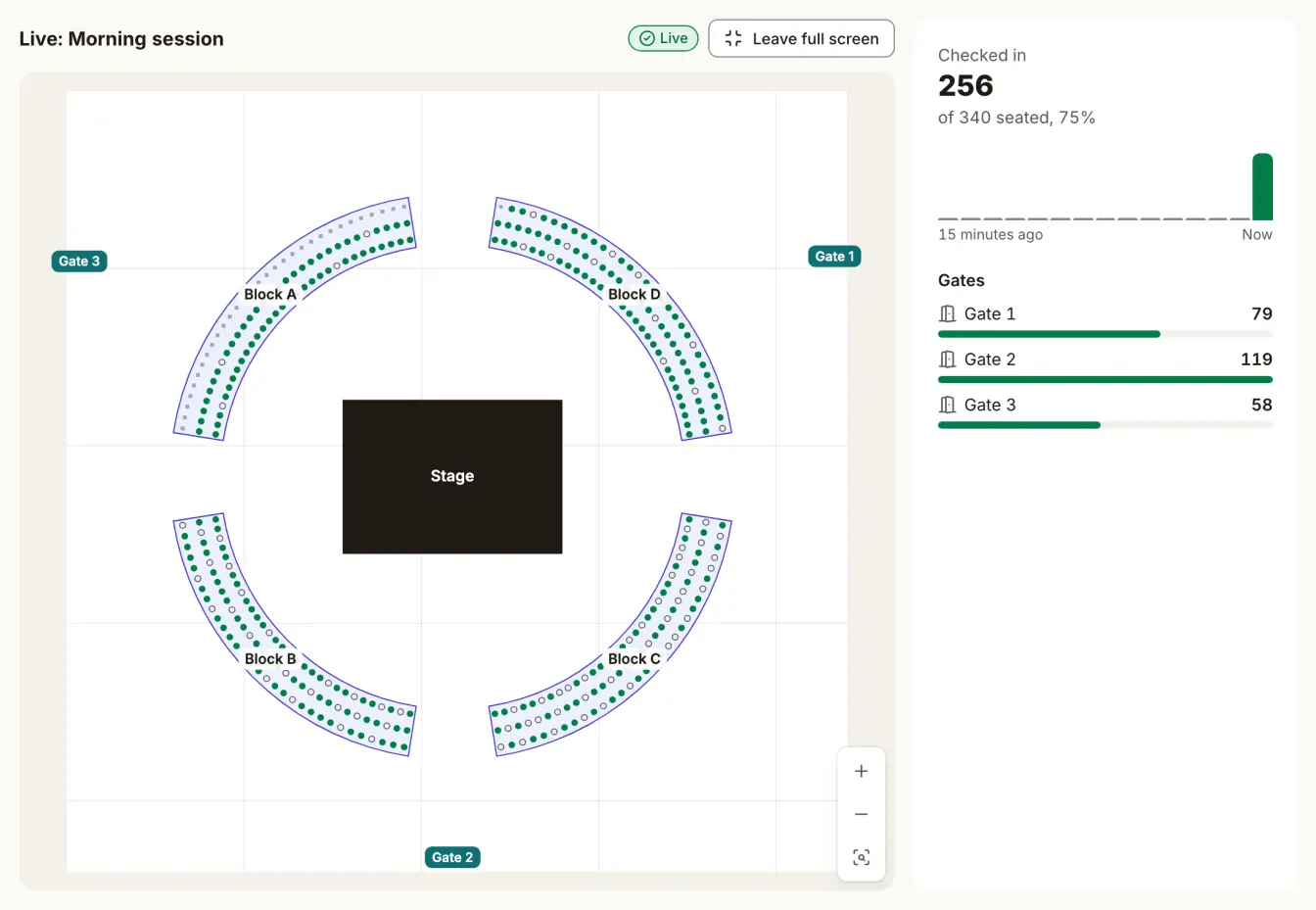
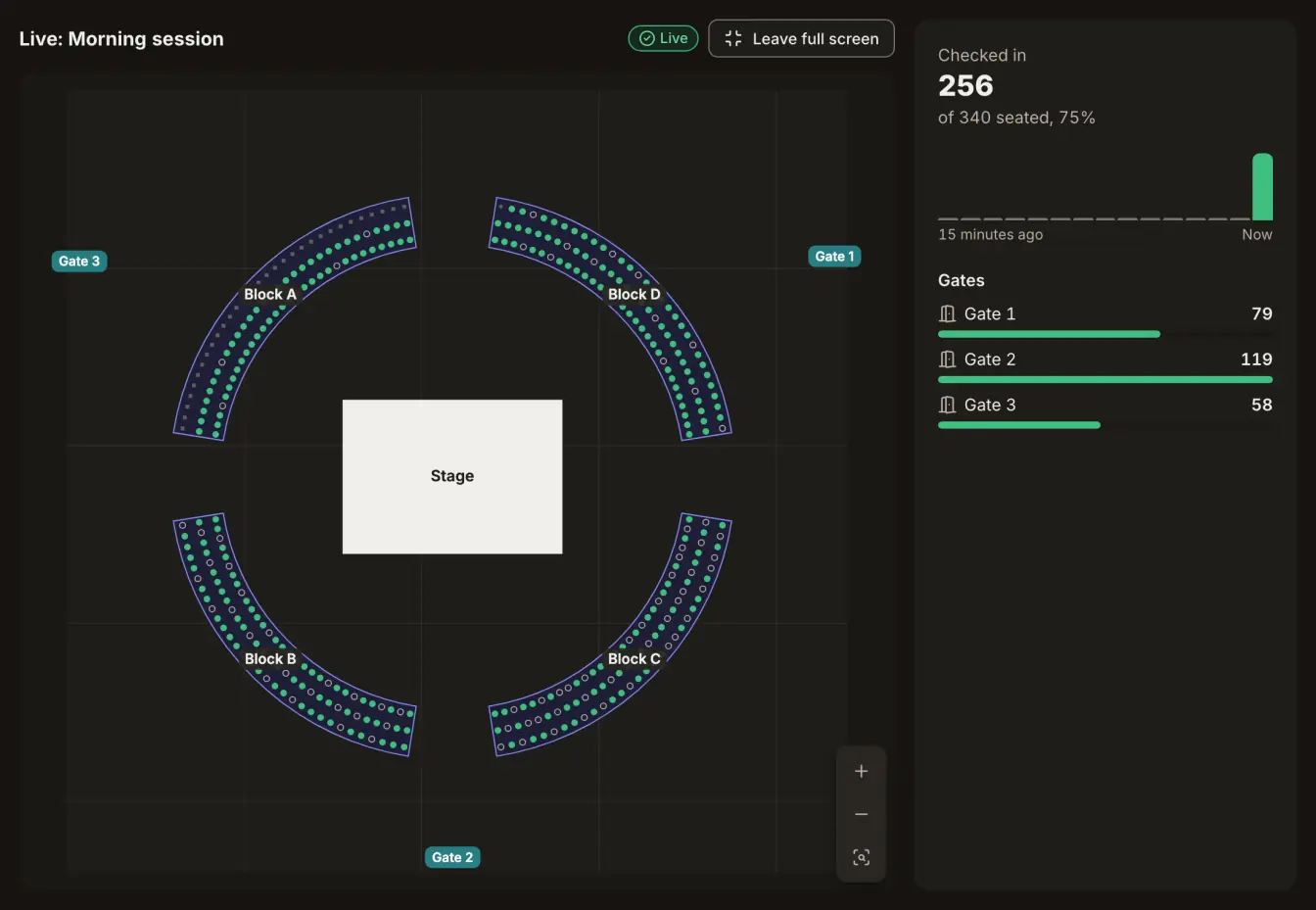
The live view shows the room on the day. Each seat lights up as its ticket comes through a gate, so you can see which blocks are filling and which are still empty, without walking the floor.
Open it
- For a graduation, choose Open live on the session, in the congregation's Seating tab.
- For an event, choose Open live view on its seating page.
- Choose Full screen to put it on a big screen.
The plan must be active first. Until then the page says No active plan yet.
What it shows
- Checked in, Seated, Still to come and This minute, updated every few seconds.
- The plan, with each seat filled in as its person arrives, and the same count for each block.
- Flow: how many people came in each minute, over the last quarter of an hour.
- Gates: how many came through each one, so you can move staff to the busy gate.
Checked in means let in at a gate. It doesn't prove someone is sitting in that seat. If the connection drops, the page says how long it's been since it last updated.
Release no-shows gives back the seats of people who hadn't come in by a time you choose. It opens when the doors do, or when the event starts if you set no doors time, and closes when the event ends. Their tickets keep working.
Ready to try it?
Sign in to the console with a code sent to your phone or email. The first code creates your account.